Dashboard App
The dashboard provides a convenient one stop approach to list outstanding/pending work for a departmental user via five tabs.
Tip When accessing the Downstream Dashboard as a department user, seriously consider the advantage of having the Dashboard (DBB) as the Default App rather commencing with the Home Page and having to click the Dashboard app to find your active work items/contracts/payments.
To navigate from the default app to another app, click the  (application selector - located at top right of Acquittals Dashboard).
To change the Default App from the Home Page to the Dashboard (DBB) app, contact P2i Technical Support (refer to Support).
 Work Item tab
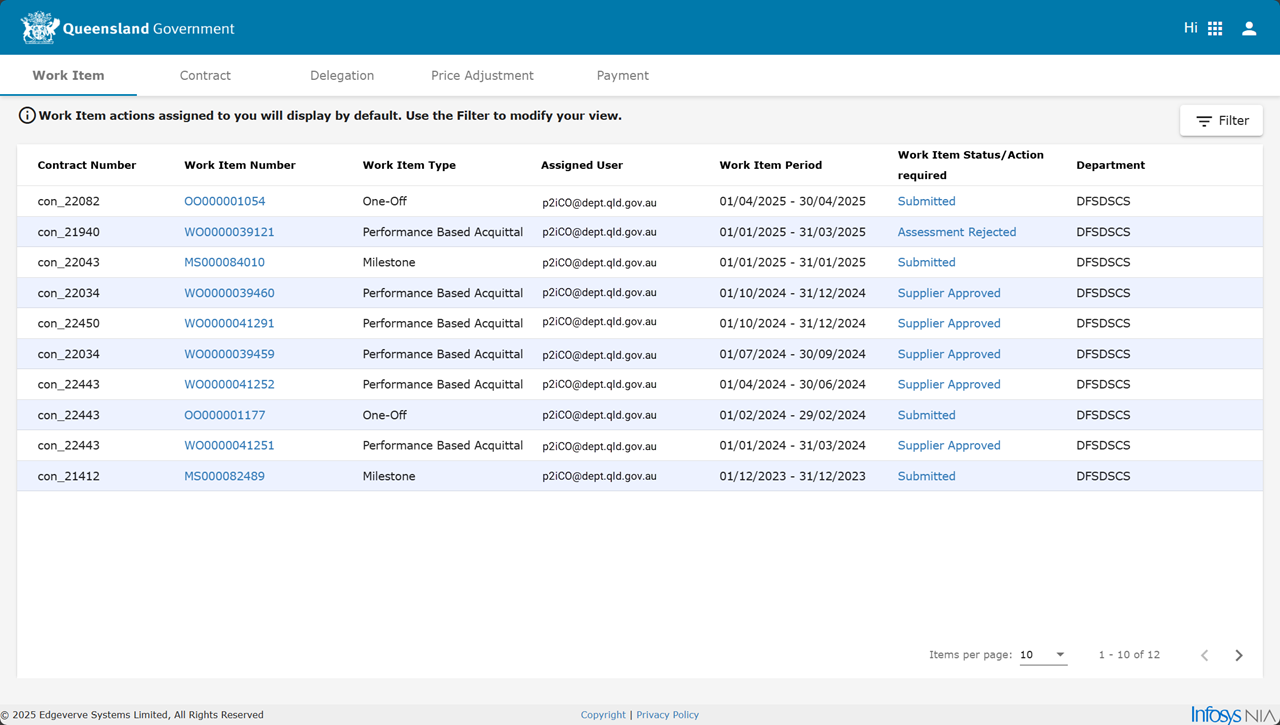
This tab defaults to a list of work items Work Item is known by many names ... report, acquittal, form, work order. assigned to the current user (see the filter). An item's Work Item Status/Action Required value is dependant upon the Work Item Type and the item's workflow stage.
Tip Consider filtering the work items listed to view work items for another user and/or focus on a particular work item type and/or a work item period.
Apply a filter to the work item list
-
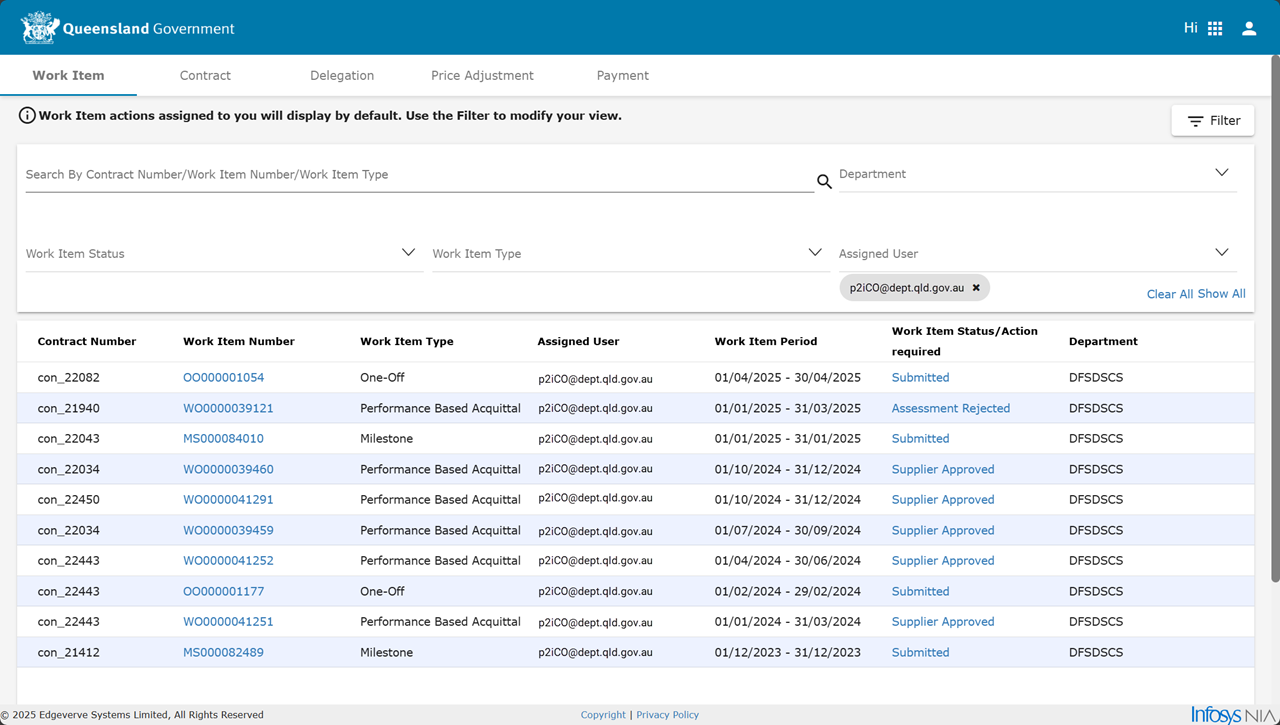
Click Filter.
-
Perform either or both steps:
-
Type some text in Search By field
(This searches in Contract Number/Work Item Number/Work Item Type fields for typed text) -
Select Department, Work Item Status, Work Item Type or Assigned to dropdown lists.
-
The Work Item Status/Action Required value is often a clickable hyperlink when the current user is the the Assigned User to perform the action.
The action of a clicked Work Item Status/Action Required hyperlink for a department user would depend upon workflow stage of the Work Item Type and if the user has the required role.
| Work Item Types | Process overview |
|---|---|
|
Annual Financial Statement |
|
|
Milestone |
|
|
One Off |
|
|
Performance Based Acquittal |
|
|
Special Purpose Financial Acquittal |
General or Special Purpose Financial Acquittal - Process overview |
Contract tab
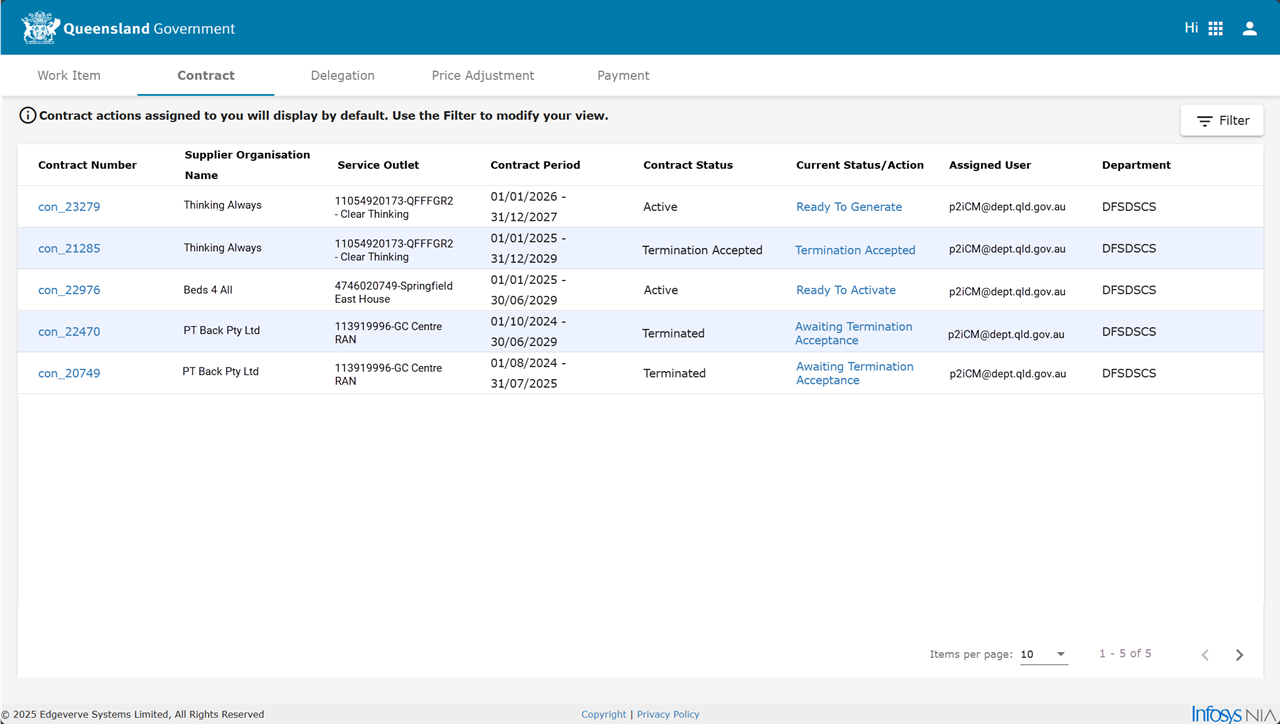
This tab defaults to a list of contracts which have a pending action for the current user (see the filter). A contract's Current Status/Action value is dependant upon the contract's workflow stage.
Tip
Apply a filter to the contract list
-
Click Filter.
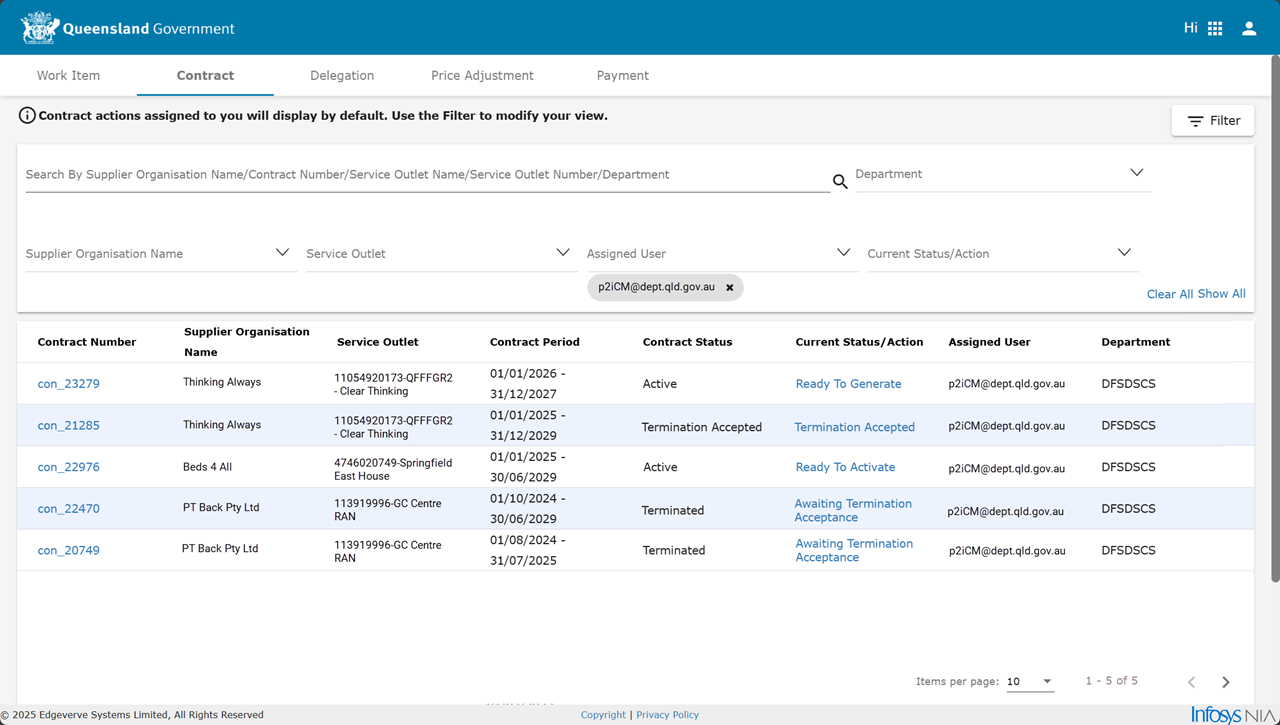
-
Perform either or both steps:
-
Type some text in Search By field
(This searches in Supplier Organisation Name/Contract Number/Service Outlet Name/Service Outlet Number/Department fields for typed text) -
Select Department, Supplier Organisation Name, Service Outlet, Assigned User or Current Status/Action dropdown lists.
-
The Current Status/Action value is a clickable hyperlink when the current user is the Assigned User to perform the action.
The action of a clicked Current Status/Action hyperlink for a department user allows the contract setup or terminate actions:
Delegate tab
This tab will display work items based on the values in the dropdown lists: Department, Transaction Type, User, Document Code.
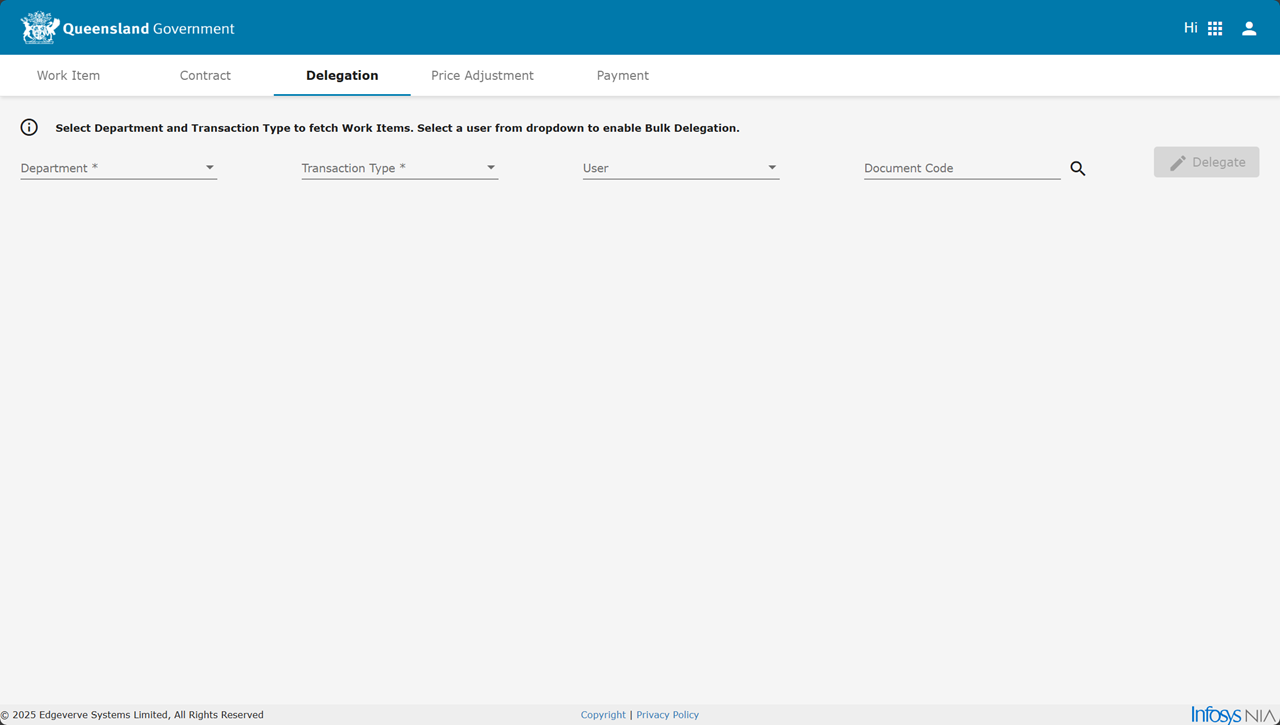
For instructions to delegate (reassign) work items, refer to Delegate (reassign) work items.
Price Adjustment tab
This tab defaults to a list all price adjustment items for the current user (see the filter). A price adjustment's Current Status/Action value is dependant upon the adjustment the item's workflow stage.
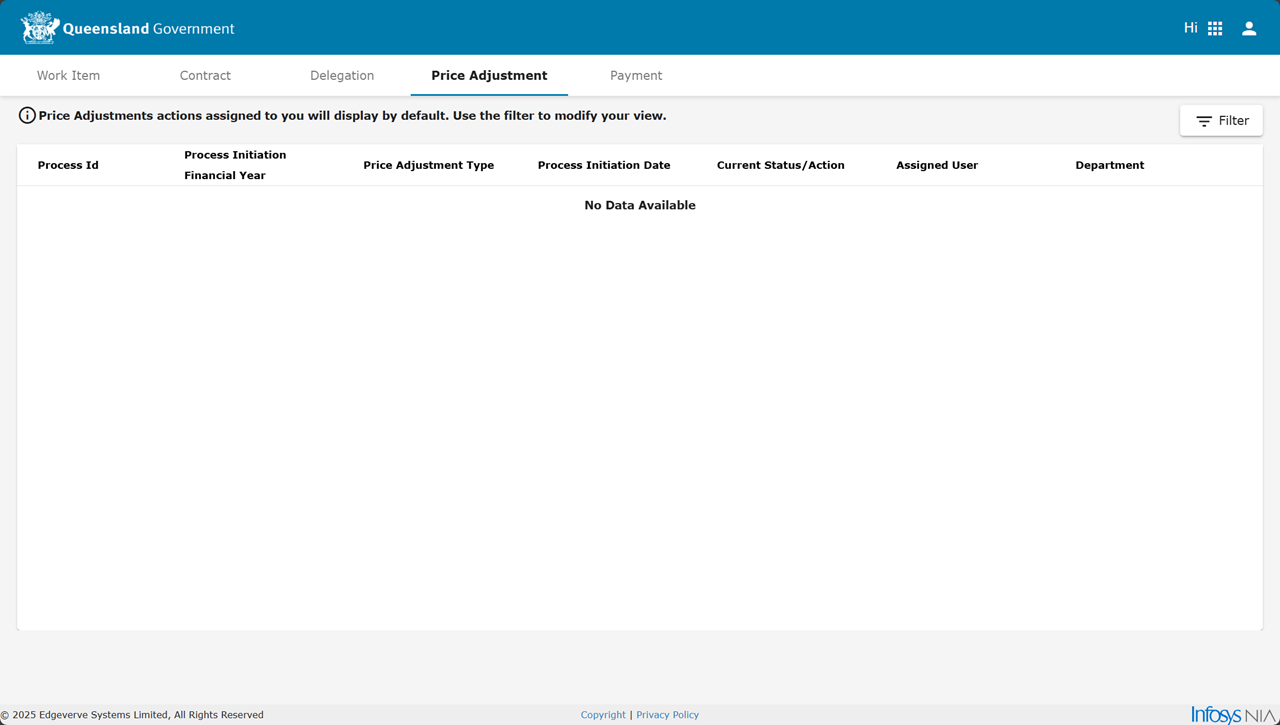
Tip Consider filtering the price adjustments listed to view adjustments for another user and/or focus on a particular adjustment status.
Apply a filter to the work item list
-
Click Filter.
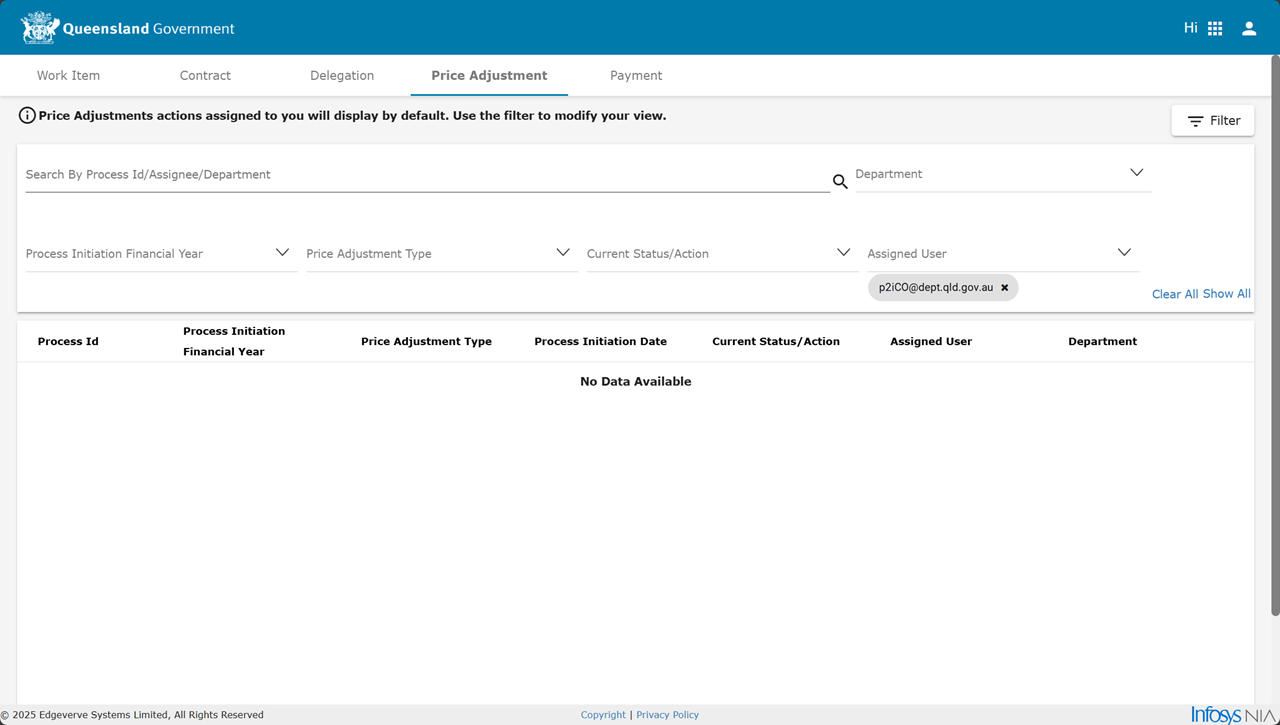
-
Perform either or both steps:
-
Type some text in Search By field
(This searches in Process Id/Assignee/Department fields for typed text) -
Select Department, Process Initiation Financial Year, Current Status/Action or Assigned Userdropdown lists.
-
Payment tab
This tab defaults to a list all payment items for the current user (see the filter). A payment's Current Status/Action value is dependant upon the Payment and the item's workflow stage. Refer to:
-
(recommend and release payment) Payment Status
-
(reconcile payment) Payment Status
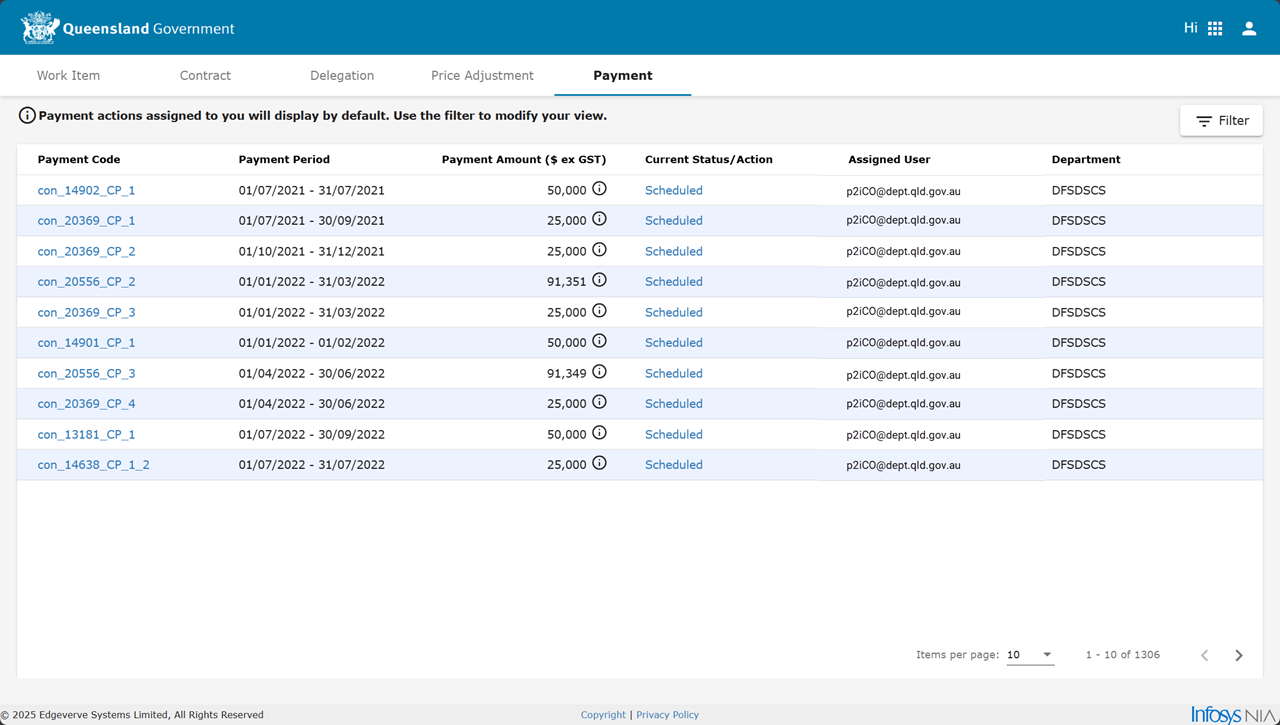
Tip Consider filtering the payments listed to view payments for another user and/or focus on a particular payment status.
Apply a filter to the work item list
-
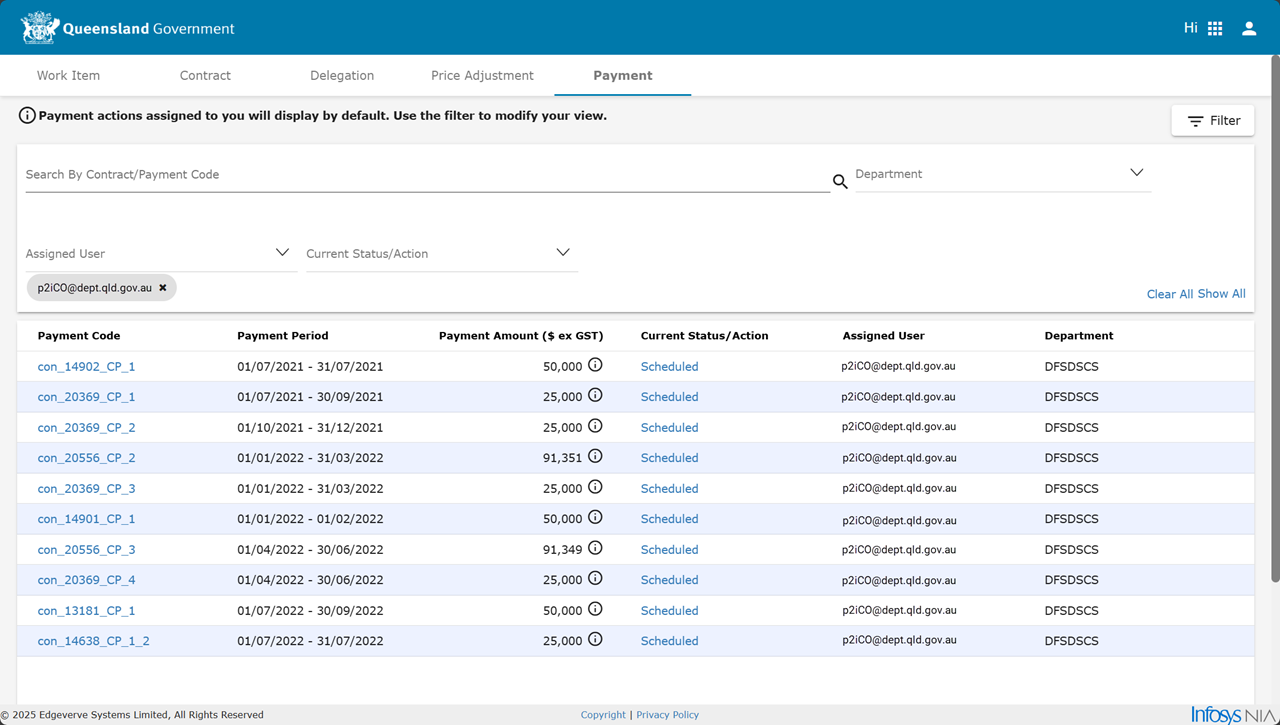
Click Filter.
-
Perform either or both steps:
-
Type some text in Search By field
(This searches in Contract/Payment Code fields for typed text) -
Select Department, Assigned User or Current Status/Action dropdown lists.
-
The Current Status/Action value is a clickable hyperlink when the current user is the Assigned User to perform the action.
The action of a clicked Current Status/Action hyperlink for a department user allows contract payment actions: